




Product
Use cases
Book a demo Español
Nirby for construction

Receive projects with drawings, deadlines and budget already read.

The Form goes through the project, reads attachments like drawings and specifications, and sets out deadlines, areas and budget structured against your criteria.

Book a demo
Watch video
Nirby in 2 minutes
The capture

You look after the client. The project becomes priceable.

Between what the client asks for and something you can actually price there are usually three emails. The Form replaces them: it keeps going until the scope is clear, and it reads whatever gets attached.

Day to day

Between the client’s idea and something priceable there are three emails.

On a good day. That stretch is the one we care about.

What it does for you

Less back-and-forth. More projects priced.

Everything that takes several emails today to work out what needs building fits into one conversation.

It talks the job through, it does not fill in a sheet

An extension with the line running is not asked about the same way as a new build on empty ground. The Form notices and carries on down that path.

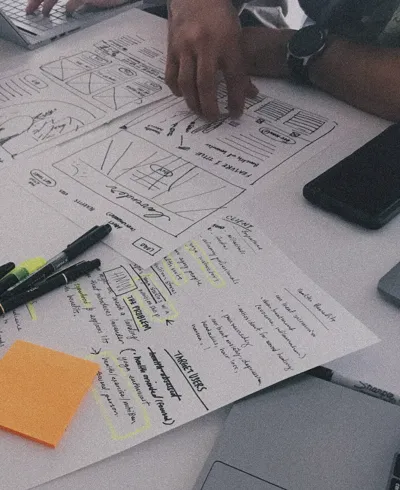
The drawings arrive looked at

Areas, deadlines and specifications come out of them and end up written down. You know the size of the project before opening the file.

Every brief, comparable

The same scope described the same way in all of them. Deciding which one gets studied first stops being a conversation from memory.

The preliminary proposal, already started

In your format, from what the client asked for. The quantities and the prices are yours to put in, but not from a blank page.

Frequently asked

What people usually ask us.

Does it work out the budget for the job?

No. It leaves the brief structured and prepares a preliminary proposal in your format; the quantities and the prices are put in by your team, with the case already understood.

What does it do with the drawings the client attaches?

It processes them as part of the same flow and pulls out what the process needs, instead of leaving them in a folder waiting to be reviewed.

What if the client cannot explain what they want?

That is the most common case and it is exactly what this is for: the Form keeps asking until the scope is pinned down, instead of accepting a vague paragraph and booking a meeting to decipher it.

Does it work for public tenders?

For receiving and structuring the background material, yes. Submitting the bid on whichever portal applies is still yours.

What happens to the project information?

It is yours: we process it on your behalf, and you decide what gets asked, what gets kept and for how long. The detail is in our privacy policy.

How long does it take to get going?

A Form is built from a prompt and tested with Preview before publishing, so days is the usual. You do not need an IT project to start.

Start today

From form to proposal sent.

Every case arrives qualified, with the proposal ready and the CRM up to date. You hear about it when there is something to decide.

Book a demo

In days, not months. And we start with a small pilot.